


SUPPORT
SUPPORT

FAQ
FAQ
Core Settings Options Available on Intel 12th Generation CPUs
- 2024.03.19
- |
- 최고관리자
- |
- 390
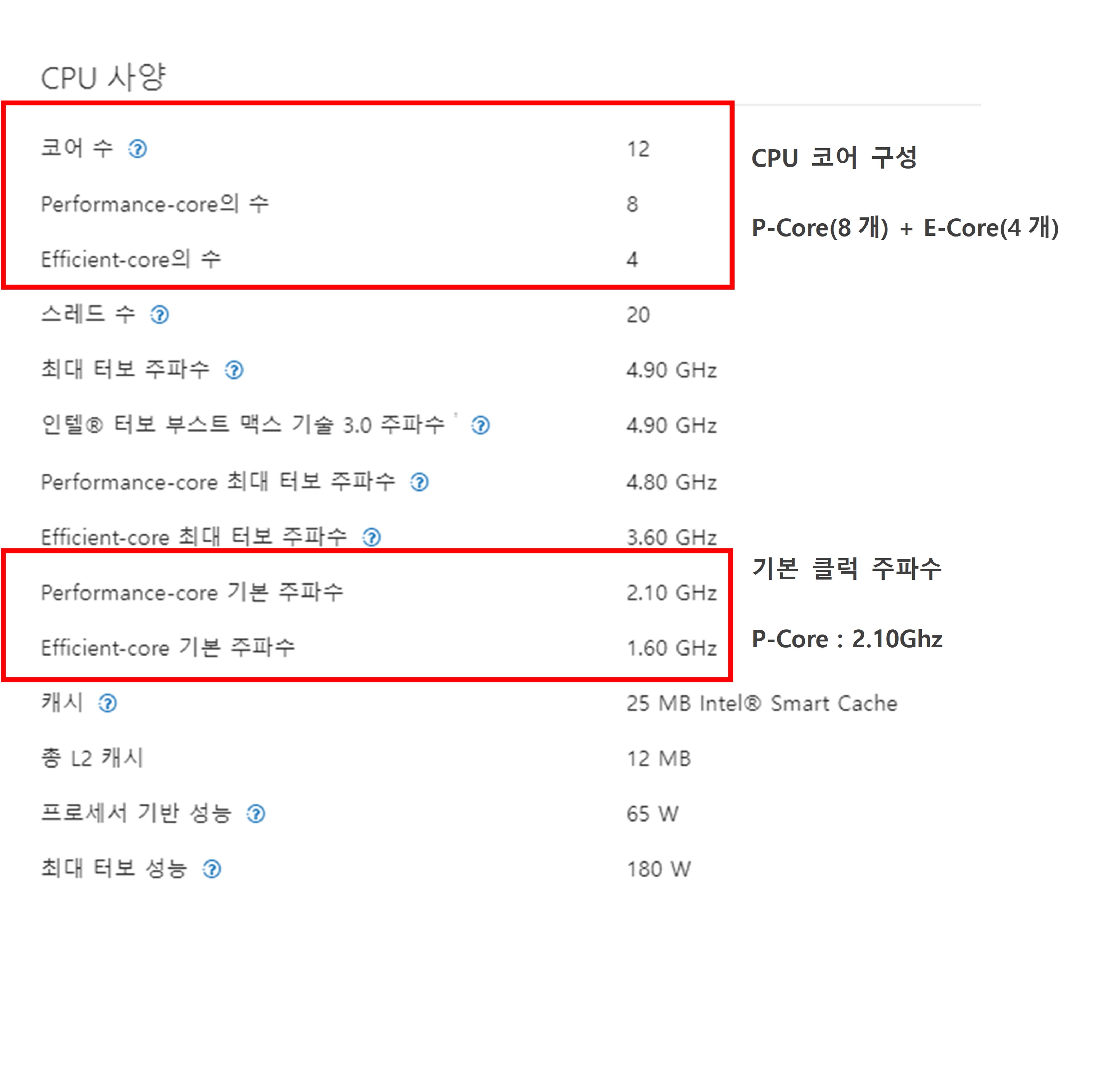
[Intel 12th Generation and later core settings options]
| Option | WMX Engine Driving Performance | System Stability | System Resource Utilization | Hyper Threading | E-Core Enable | WMX Engine Core |
1 | Upper | Upper | Middle | No | No | P Core |
2 | Upper | Middle and Upper | Middle and Upper | Yes | No | P Core |
3 | Middle and Upper | Middle | Upper | Yes | Yes | E Core |
[Uptility according to the above options]
Option 1) Utilizing P-Core in the WMX Engine can improve the performance of the WMX Engine the most, and since Hyper Threading and E-Core are not used, the system stability is the most, but the resource utilization on the PC is limited.
=> Actual number of cores set for Windows and RTX: Windows Core 7, RTX Core 1

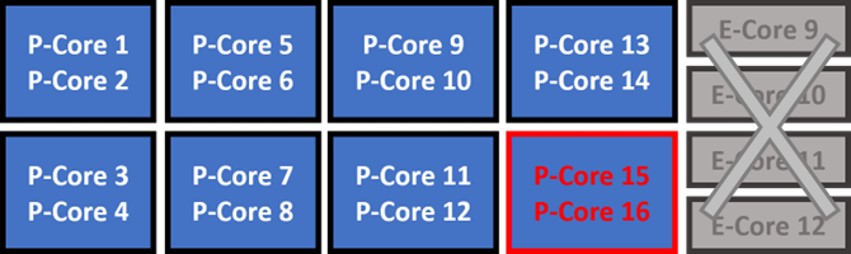
Option 2) Utilize Hyper Threading, but with limited Windows Core allocation (allocating only 14 Windows), it provides maximum resource allocation to user applications while keeping separate RTX Core threads away from the Windows side.
However, the Hyper Threading option makes the system less reliable than when not in use.
=> Actual number of cores set for Windows and RTX: Windows Core 14, RTX Core 1 (or 2)
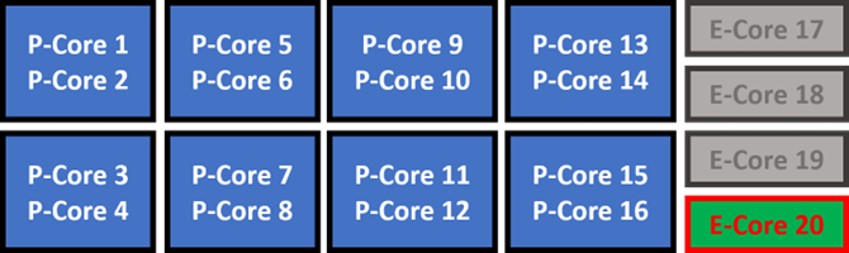
Option 3) The WMX Engine uses E-Core based on architecture that has changed since Intel's 12th generation, all P-Core resources are assigned to the user application, and WMX uses E-Core, which can be proposed when the user application needs a lot of computing power.
However, the system stability is relatively lower than the above two options, and the WMX Engine's processing performance is reduced by about 10-20%.
=> Actual number of cores set for Windows and RTX: Windows Core 16, RTX Core 1 (or 2)
Overall, the more system resources you use, the less reliable you are, and to increase system stability, you need to limit variable resource utilization capabilities such as hybrid architecture and Hyper Threading to increase system stability.
 Next
